

















































Diving With the Oceanic O.i and How We Tested

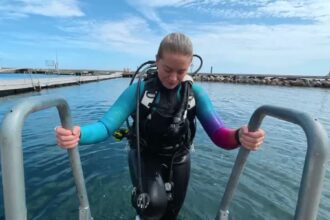
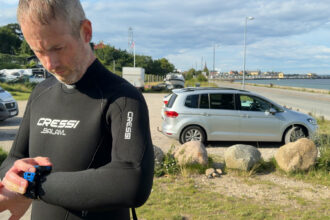
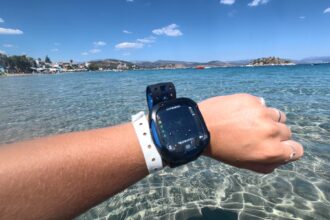
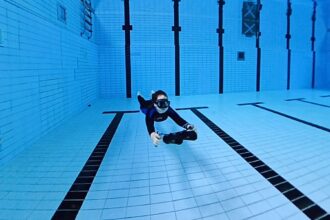
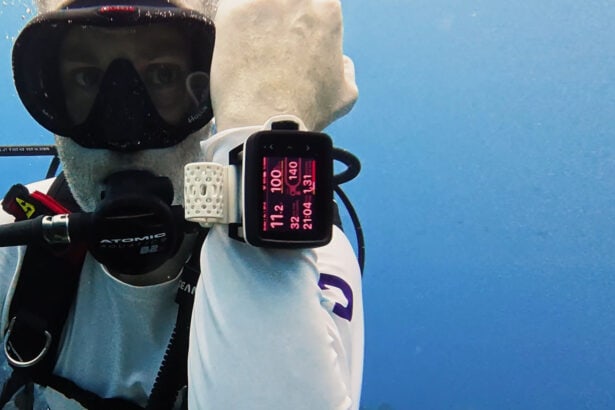
We tested the O.i Wrist over two weeks in Roatán, Honduras, and on local dives in Denmark. We had used earlier test versions in Malta and Cozumel, but most observations here come from the final version.
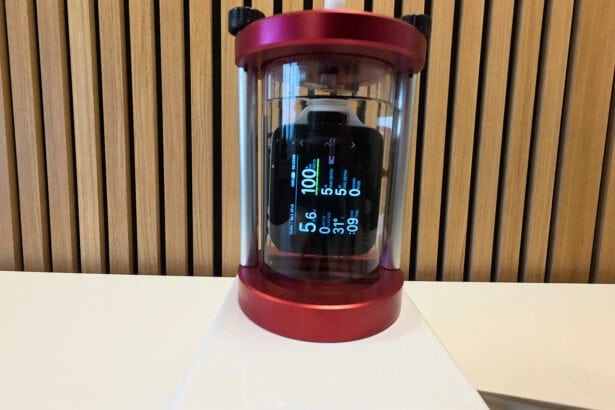
To check air integration, we compared the tank pressure shown on the O.i with a pressure gauge connected to the same tank. We checked readability in bright tropical sun, inside creeks and caves, and on a night dive. Between dives, we used the NavDial without first rinsing away the salt. We also charged the computer using its included wireless charging pad and a power bank. After the trip, we tested battery life twice in a pressure chamber that simulates being underwater.
Display & Readability
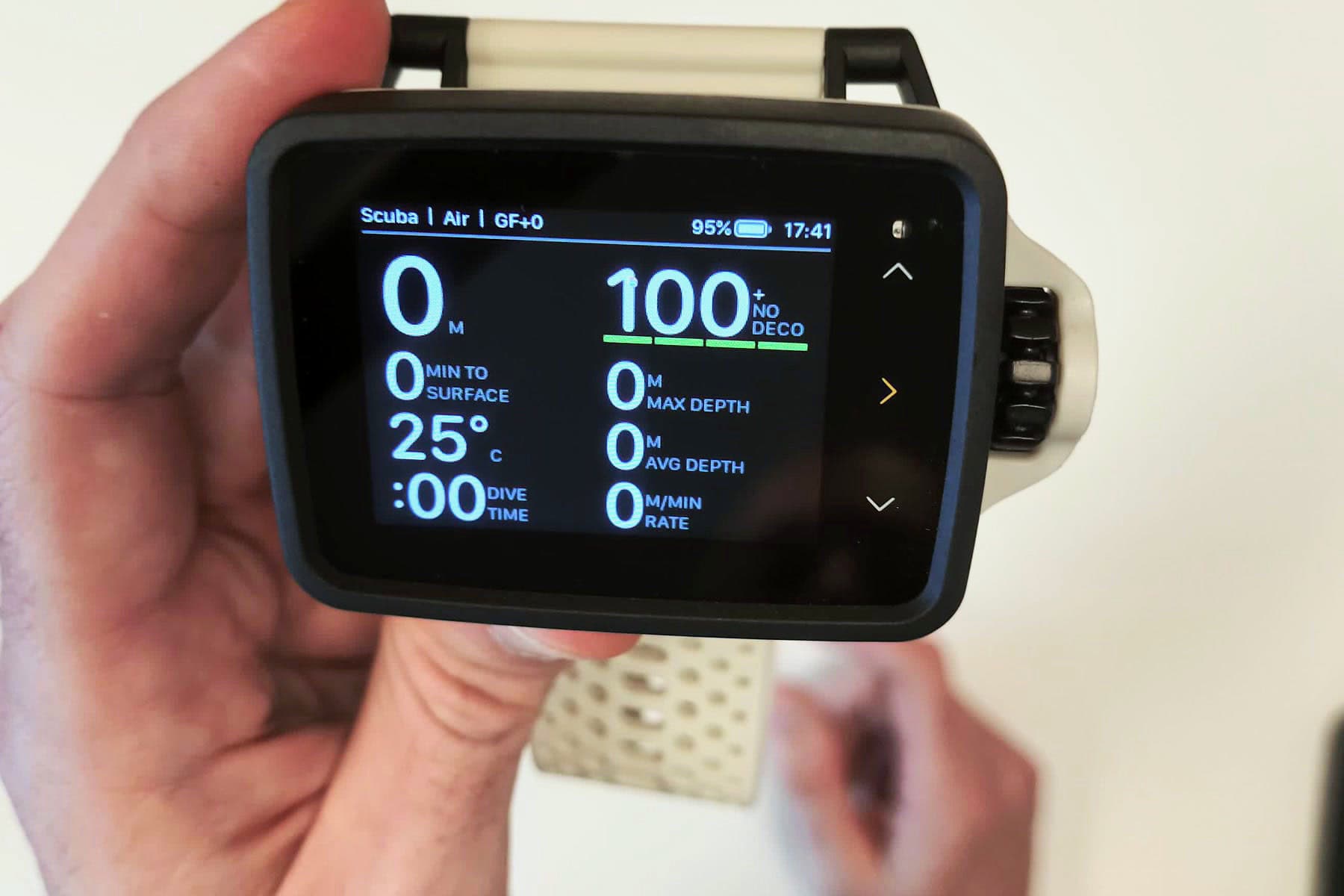
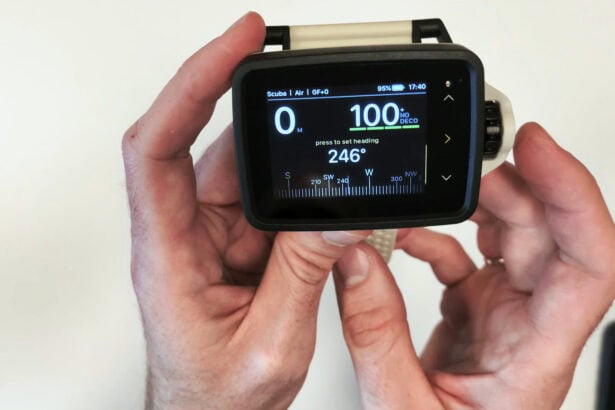
The O.i has a 2.4-inch (6.1 cm) full-color screen. It uses TFT technology, a type of color LCD. Depth sits on the left and no-decompression limit on the right, both in large digits that stay visible in the top third as you scroll through different information screens. A thin status bar runs across the top with your mode, gas, battery, and time of day.
The bottom two-thirds change as you scroll through pages with the NavDial. The first page groups time to surface, temperature, dive time, maximum and average depth, ascent rate, and gas data if a transmitter is paired. Other pages show the compass, timer, Digital Dive Slate, or a recap of your settings. That recap lists your gas mix, conservatism, and oxygen limit. You can choose which pages appear, but you cannot rearrange the data within them.
In bright tropical sun there is glare off the mineral glass. Angling the screen a few degrees solves it. On the night dive and when we swam into darker water, the ambient light sensor dimmed the screen smoothly. The large digits and color coding kept depth and no-decompression limits easy to read anytime.
Ease of Use & Interface
The NavDial is the turn-and-press dial on the side of the O.i, which you can use with one hand. You turn it to scroll, press to select, and hold it down to go back. The dial gives haptic feedback, a light vibration with every click, so you can feel it moving through the pages.
We found it intuitive from the first dive. With gloves on, the button press was harder to feel, but the vibration from turning the dial still came through clearly. Salt residue between dives did not stop it turning freely, and we never had an accidental turn or press.
You can change settings on the computer itself or in the Oceanic+ app before syncing them across. If the settings differ, the app asks which ones you want to keep. Underwater, you can switch gases, adjust brightness, or set a compass heading while depth and no-decompression time stay visible.
The built-in Digital Dive Slate lets you carry messages, skill checklists, or reminders on your wrist. You can check a note or show it to your buddy underwater without carrying a separate slate. We haven’t seen this feature on another dive computer. You prepare up to five pages in Oceanic+ or the WebApp before the dive, sync them to the O.i, then use the NavDial to bring them up underwater.
Algorithm & Safety Features

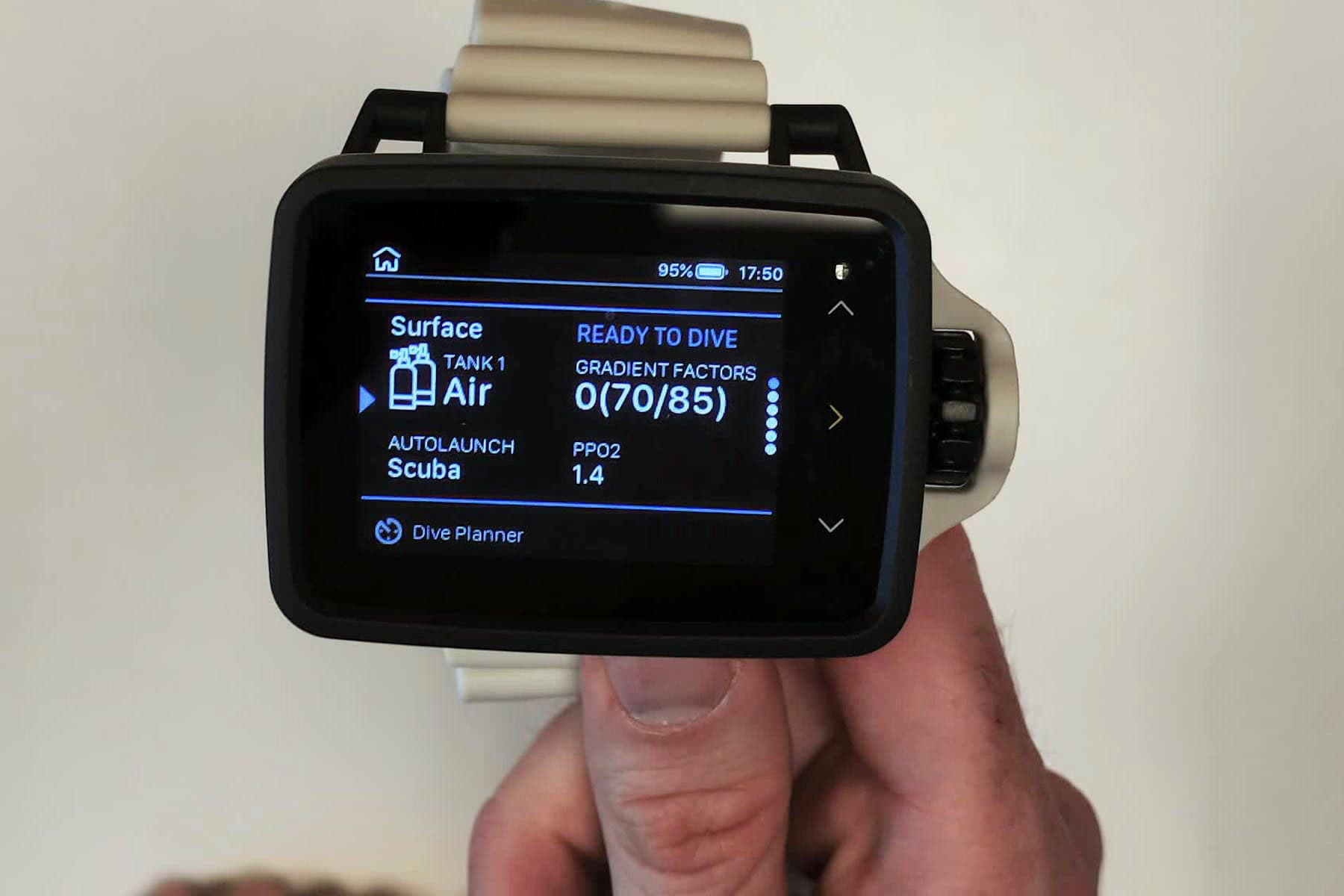
The O.i uses the Bühlmann ZHL-16C algorithm. You can adjust the gradient factors to add more or less safety buffer to the decompression calculation. Preset conservatism levels are available, plus the option to enter custom gradient factors. A clear warning appears before you enter custom values.
Ascent rate warnings appeared as fast as they do on comparable dive computers. The safety stop starts automatically at about 20 feet (6 m) with a countdown. The computer buzzes and flashes a warning that takes a click to dismiss.
When we dipped below the stop depth, the countdown paused. Coming back up triggered the warning again, so we had to press the dial again to silence it. On one dive, we dropped to about 23 feet (7 m), and the O.i showed a full three-minute countdown again. The computers on our other wrist still showed about a minute remaining. We didn’t like having to keep dismissing the warning while finishing a dive.
The tissue reset clears the computer’s estimate of nitrogen left in your body from previous dives. It is meant for a computer being lent or rented to another diver, rather than a routine adjustment during your own diving. The O.i shows clear warnings before allowing a reset, including a warning not to reset after diving within the previous 48 hours.
Dive Modes & Capabilities
The O.i has scuba and gauge modes. It does not include freedive, closed-circuit rebreather, or technical modes.
In scuba mode, you can program up to three gas mixes. The computer runs standard air plus nitrox from 22% to 100% oxygen. Each gas gets its own oxygen partial-pressure limit, which controls how deep you can safely breathe that mix. The O.i shows your maximum operating depth per mix and alerts you when a more suitable gas is available.
Setting up multiple gases is easy on the device or in the app. We set up three tanks and scrolled between them on the dive screen. The computer displayed a large alert to confirm the gas switch.
Air Integration

I like diving with a transmitter because I can see tank pressure alongside the rest of my dive data. It is one less screen to look at, and the gas-time estimate helps me judge the remaining dive time. Having that on a computer at this price is a big part of the O.i’s appeal.
The O.i connects to up to three Oceanic transmitters. We tested two paired at once with no issues. Pairing is easy: enter the code from the transmitter’s sticker and set your reserve pressure. On all dives we checked, the displayed pressure matched our pressure gauge.
The computer shows tank pressure and estimated gas time remaining on the main dive screen. Having that estimate on the wrist let us adjust depth during a dive to stay within the planned runtime. The transmitter is sold separately, so you can buy the computer first and add air integration later.
Battery Life & Power

The O.i is rated for up to 20 hours of runtime. With dive alerts off, our chamber test recorded 22 hours and 15 minutes in the O.i logbook. Both chamber tests used GPS, automatic brightness, and no transmitter at a simulated depth of about 23 feet (7 m).
With dive alerts on, the battery lasted about 18 hours and 13 minutes from a full charge to screen off. Alerts kept appearing on screen for most of that test. Turning those alerts off was the only change for the longer test, which added about four hours of runtime.
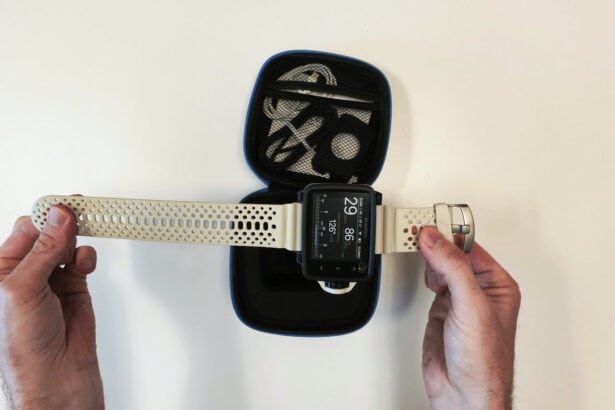
The O.i comes with a wireless charging pad: place the computer on it to charge. We used it with a power bank to top up the O.i on the dive boat. Charging is rated at 80% in 30 minutes. The pad also worked with our phone, so we could use one charger for both.
You can also charge the O.i on other compatible wireless chargers. Check the fit before a trip: the curved strap stopped the computer from resting properly on some larger pads we tried.
Build Quality & Durability

After two weeks of diving in Roatan, the O.i shows no scratches on the mineral glass or the body. The glass sits recessed about one-tenth of an inch (2 mm) below the bezel. We rinsed it inconsistently. Salt crust built up and the NavDial turned freely through all of it.
The silicone strap is thick. The two screw pins let you swap to bungee if you prefer.
Size & Wearability

The O.i is a large dive computer, and the NavDial adds width on one side. It sits tall on the wrist, so we took it off between dives. Underwater, the big, easy-to-read screen made the size worth it for us.
Left or right wrist works: the screen orientation and NavDial position flip in the settings.
Connectivity & App

I like the Oceanic+ iOS app’s fast, well-organized logbook, which makes it easy to look back through a dive. You can see your depth profile, temperature, tank pressure, and any recorded violations. It also shows surface air consumption rate, an estimate of how quickly you would use gas at the surface. This lets you compare your gas use on dives at different depths.
Syncing our dives was quick. The app added our topside phone photos to the dive log, even though the phone stayed on the boat. If you also dive with the Oceanic+ Apple Watch Ultra app, you can keep both logbooks in the same place.
Android users connect through the Oceanic+ WebApp in a Bluetooth-enabled browser. The iOS app and WebApp both handle dive logs, device settings, and firmware updates. These O.i companion features are free, with no subscription needed.
Digital Compass

The compass was easy to use underwater and responded smoothly as we turned. It shows your heading in degrees with a rotating dial on screen. Press once to set a heading, and the O.i shows how many degrees you need to turn to get back on course.
Another press clears the heading without a confirmation step, so be deliberate with the button while navigating. There is no option to set the opposite return direction automatically.
Value for Money
The O.i is very well priced for a dive computer with a large color screen and air integration. At a mid-range price, it gives you an easy-to-read display with your tank information right beside the rest of your dive data. That is the combination I want when I dive, and it is why I find this computer so interesting.
The transmitter is a separate purchase, but you can add one later without replacing the computer. A digital compass, built-in dive slates, and free companion software are included. You get a lot of computer for the money.
Popular Dive Computer Comparisons
The Oceanic O.i Wrist is a mid-range color-screen dive computer with air integration, a digital compass, and a single NavDial control. It uses the Bühlmann ZHL-16C algorithm with gradient factors.
Shearwater Peregrine TX vs Oceanic O.i Wrist
The Shearwater Peregrine TX is for the diver who wants the Shearwater two-button interface and a compass that stays accurate when the wrist is angled. It supports up to four transmitters to the O.i’s three. Both have color screens, but the O.i’s is larger at 2.4 inches (6.1 cm), compared with 2.2 inches (5.6 cm) on the Peregrine TX.
Cressi Da Vinci vs Oceanic O.i Wrist
The Cressi Da Vinci is for the diver who wants a smaller computer and does not need air integration. If tank pressure on your wrist matters, the O.i is the one of these two that offers it.
Specs & Features
| Adjustable conservatism | Yes |
| Air integration | Yes, up to three transmitters |
| Alarms | Visual and haptic |
| Algorithm | Bühlmann ZHL-16C with Gradient Factors |
| Battery type | Rechargeable sealed internal battery with wireless induction charging |
| Buttons | NavDial, turn-and-press with haptic feedback |
| Compass | Built-in digital compass with timer |
| Depth rating | 328 feet (100 m) |
| Display type | 2.4-inch (6.1 cm) full-color TFT, tempered mineral glass |
| Dive modes | Scuba/gauge |
| Number of gases | Up to 3 |
FAQs
The NavDial is the single control on the side of the O.i. You turn the dial to scroll through menus and press it to select. A long press goes back. It gives haptic feedback with every click, so you feel a light vibration as you scroll. You can operate it with one hand, and the dial position is reversible for left or right wrist use.
Yes. The O.i connects wirelessly to up to three Oceanic transmitters. Once paired, the computer shows tank pressure, estimated gas time remaining, and surface air consumption rate, which expresses your gas use at surface pressure. The transmitter is sold separately, so you can add it after buying the computer.
The O.i is rated for up to 20 hours of runtime. In chamber tests at about 23 feet (7 m), it lasted 18 hours and 13 minutes with dive alerts on. With alerts off, the O.i logbook recorded 22 hours and 15 minutes. Both tests used GPS, automatic brightness, and no transmitter. The battery charges wirelessly, with a rated charging time of 30 minutes to 80%.
Yes. Dive settings including gas mixes, conservatism, and brightness can be changed on the device using the NavDial. The Digital Dive Slate needs the Oceanic+ app or WebApp to enter notes. If you prefer to configure everything on a phone and sync it, the app gives you that option too.
Yes, it has a built-in digital compass. The compass shows your heading in degrees and lets you set a reference heading. Once set, it displays how many degrees you need to turn to get back on course. One press clears the heading without a confirmation step, so be deliberate with the button during navigation.
The O.i connects to Android phones through the Oceanic+ WebApp in a Bluetooth-enabled browser. There is no native Android app. The WebApp also works on compatible tablets, Windows computers, or Macs. It handles dive log syncing, device settings, and firmware updates without a subscription for these O.i companion features.
The O.i has scuba and gauge modes. In scuba mode, it supports up to three gas mixes: air plus nitrox from 22% to 100% oxygen. Each gas gets its own oxygen partial-pressure limit. The O.i does not have freedive, closed-circuit rebreather, or technical modes.
 Take a moment to look at this.