


























 See here
Win Free Scuba Gear
We test new gear weekly and give most of it away to newsletter subscribers.
🤿 Join our newsletter to learn how you can get your hands on some free scuba gear!
New giveaways every month!

Time to upgrade your dive computer?
We've tested every dive computer worth buying in 2026: Garmin, Shearwater, Suunto, Apple Watch Ultra, etc.
See the top picks before you upgrade or buy a new dive computer

10 wreck dives every diver should do
From WWII warships to ghost liners — the most spectacular wrecks on the planet, with dive plans and operators for each.


Most of us already carry a very capable camera in our pocket: our smartphones. A good underwater phone housing lets you use the camera you already know, with better still-photo quality than many action cameras and a much simpler workflow than compacts or mirrorless cameras.
However not all phone housings work the same way. Some are simple point-and-shoot cases, while others add vacuum alarms, manual camera controls, color correction, app ecosystems, and accessory support.
We tested these housings across multiple recreational dives to compare how they handle, operate underwater, and protect your phone.
Let’s dive into the best underwater phone housings.
The Top 4 Underwater Phone Housings in 2026
- Best for iPhone Users: Oceanic+ iPhone Dive Housing
- Best Budget Phone Housing: ProShot Universal Dive Case
- Best Touchscreen Phone Housing: DiveVolk SeaTouch4 Max Plus
- Best for Large Phones: SeaLife SportDiver Ultra
Oceanic+ iPhone Housing


Oceanic+ iPhone Housing Underwater Phone Housing review
The Oceanic+ iPhone Dive Housing turns a compatible iPhone into a capable underwater camera system with built-in dive data. It is rated to 196 feet (60 m), uses automatic vacuum sealing, and works through the Oceanic+ app.
The biggest strengths are the color correction, clean app workflow, and logbook system that pins your photos and video clips to the exact point on your dive profile. The main tradeoff is that the full dive-computer view and post-dive color adjustments require a paid Oceanic+ subscription.
Best for iPhone users who want strong underwater photos and video without carrying a separate compact camera rig.
ProShot Dive Case


ProShot Dive Case Underwater Phone Housing review
The ProShot Dive Case is a budget-friendly smartphone housing for leisure diving and snorkeling. It is rated to 130 feet (40 m), and it uses the ProShotCase app for control rather than touchscreen access. It’s best for warm-water trips, shallow reef dives and snorkeling, and divers who want simple holiday footage.
Three internal color correction filters come with each purchase, as well as a floating grip handle. There are two main versions for either iPhone or Android, making them compatible with a large range of smartphones.
SeaLife SportDiver Ultra

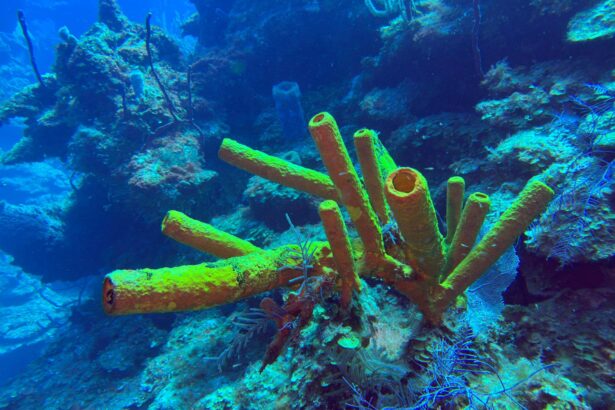
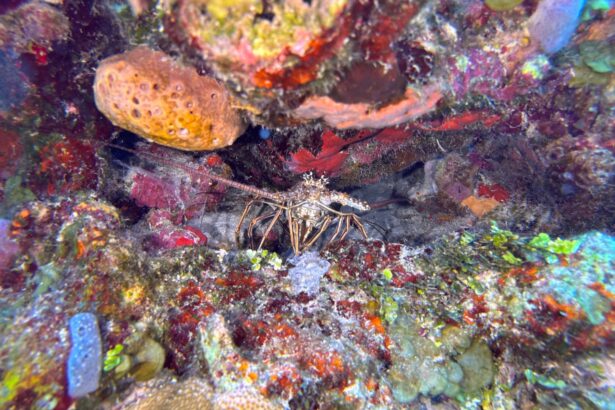


Where to buy
We compare prices daily across all major online stores.
See all 6 pricesSeaLife SportDiver Ultra Underwater Phone Housing review
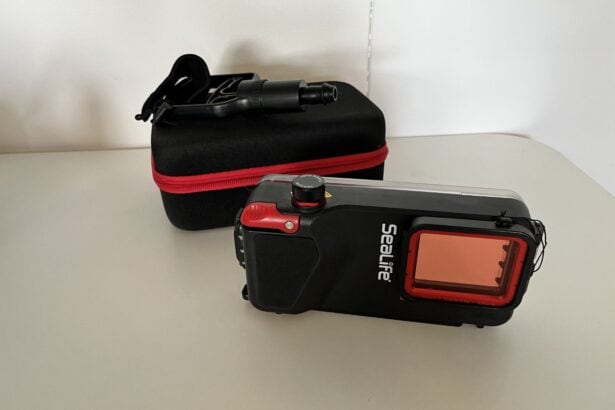
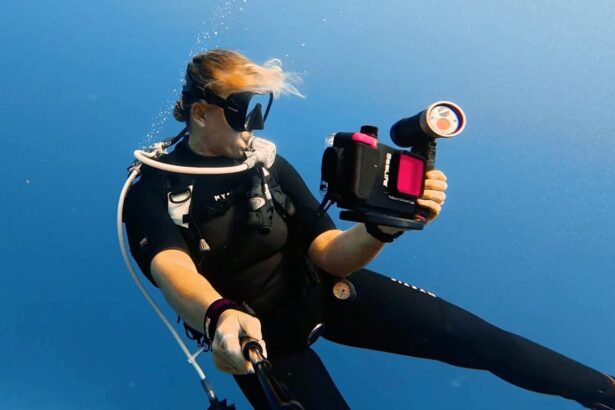
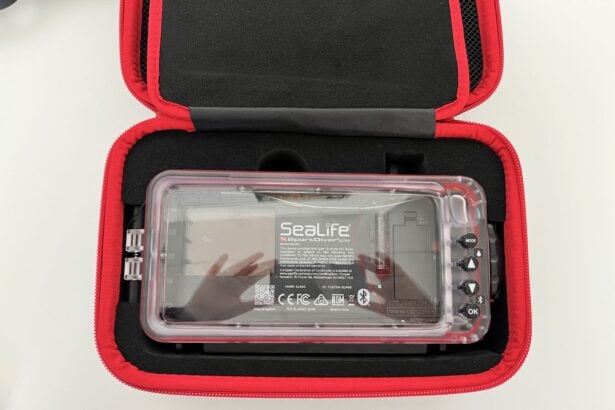
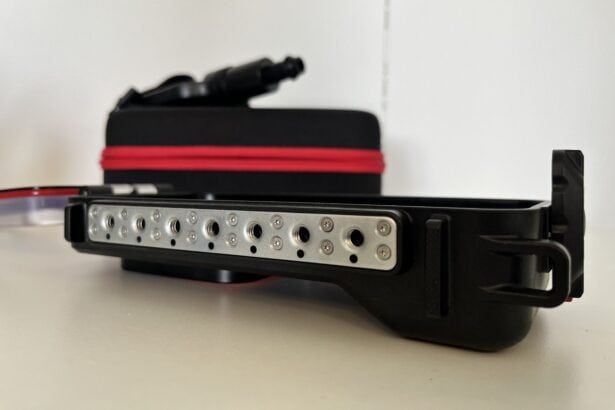
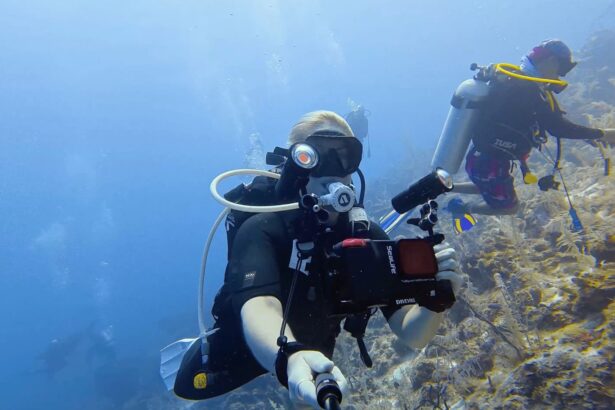
The SeaLife SportDiver Ultra is a durable underwater smartphone housing built for larger iPhone and Android models. With a 130-foot (40 m) depth rating, vacuum pressure and moisture alarms, large physical controls, and seven standard tripod mounts, this is a serious underwater imaging tool rather than a novelty phone case.
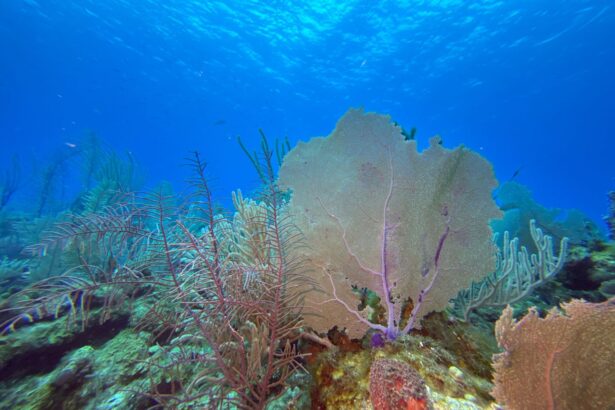
If you want full access to manual settings to fully experiment with your smartphone’s camera, such as white balance, tint and file formats, then the SeaLife app allows you to do that. SeaLife also has an entire ecosystem of compatible accessories, such as trays, lights, arms, and lenses.
For keen phone photographers or videographers, the SeaLife SportDiver Ultra is a great fit. It is larger and heavier than the standard SeaLife SportDiver housing. Made for larger models, such as iPhone Max, Ultra, or Pixel-style phones, the Ultra is one of the most practical smartphone housings available.
DiveVolk SeaTouch 4 Max Plus


Where to buy
We compare prices daily across all major online stores.
See all 4 pricesDiveVolk SeaTouch 4 Max Plus Underwater Phone Housing review
Designed for both Apple and Android, the DiveVolk SeaTouch4 Max Plus underwater phone housing gives you full touchscreen access while diving. Because you’ll have unrestricted use of your phone, you’ll also have full access to its native camera app, making this housing a strong choice for divers who want high-quality photos.
After testing the DiveVolk Seatouch4 across multiple dives, we found it to be a secure, functional, and easy-to-use option with a few considerations for potential buyers.
How We Test Underwater Phone Housings
Preparation and Seal Checks
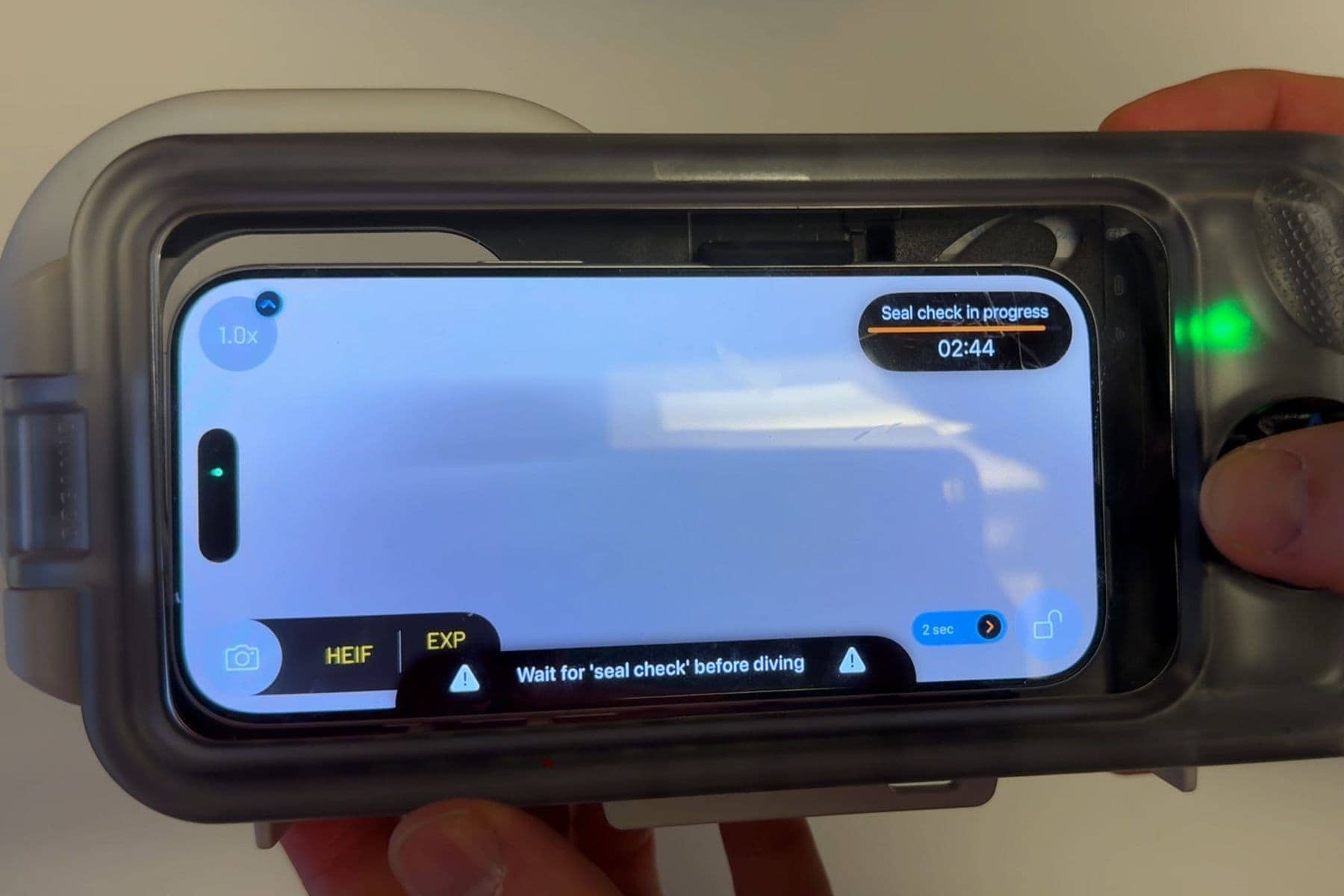
We followed each housing’s setup instructions and assessed the work needed to fit the phone and check the seal. With Oceanic+, we paired the app and ran the automatic vacuum check, which gave a seal-ready alert. With the SeaLife SportDiver Ultra, we pumped air out manually until the gauge reached the safe zone, then waited through a three-minute pressure check. On the ProShot, we inspected the O-ring seal for sand, hair or salt and checked its seating before each dive.
Camera Control Underwater
Underwater, we assessed how reliably we could operate the camera and reach its settings. With Oceanic+ and SeaLife, we used the physical buttons to control the camera through their apps, checking button access and app responsiveness.
On ProShot, we used the case’s volume-button controls and checked the floating handle’s security and practicality. With DiveVolk, we opened the native camera and other apps and wrote notes through the touchscreen. Single taps worked. Sliding through the membrane was less reliable.
Photos, Video and Accessories
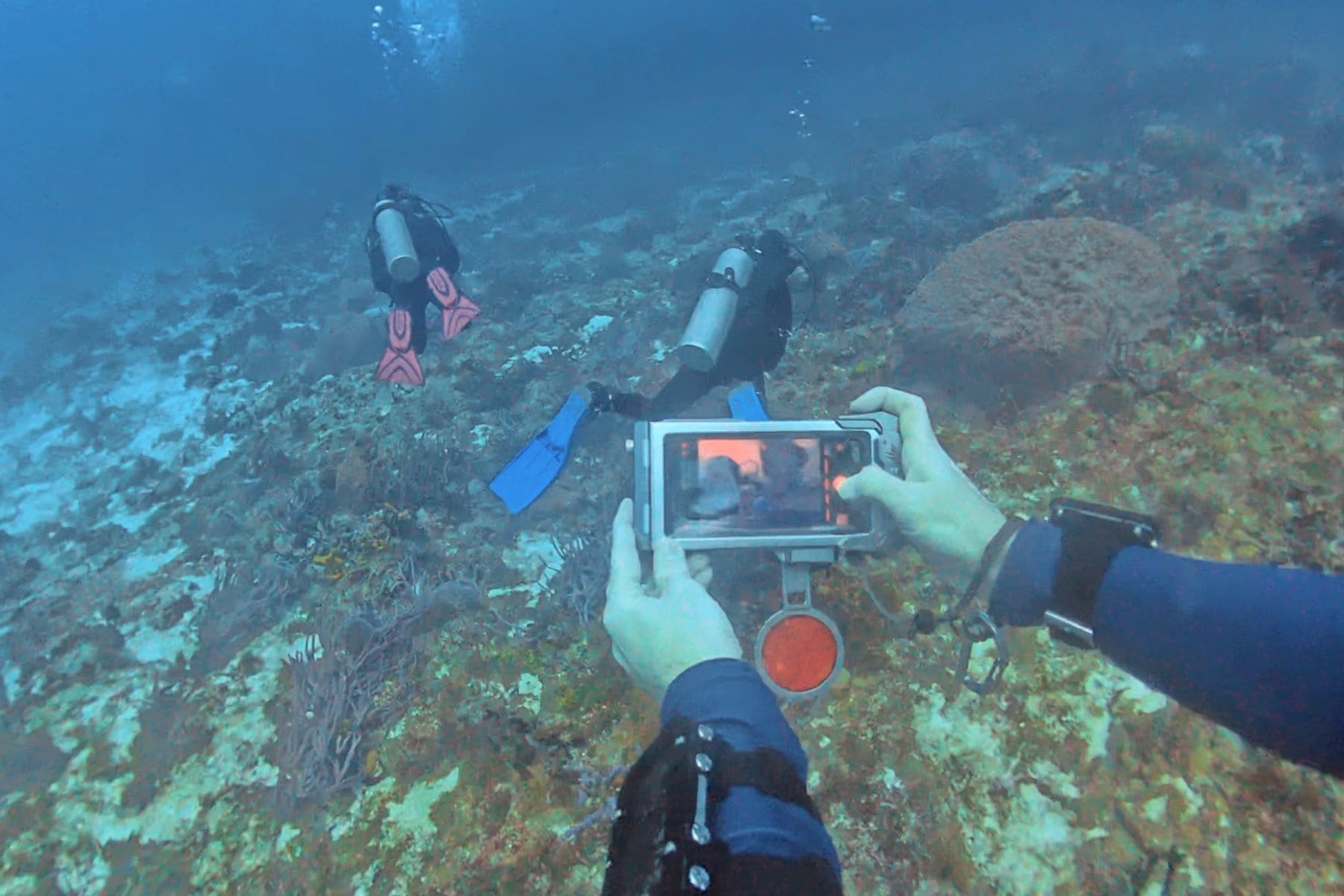
We examined photos and video for sharpness, detail, contrast and color, and assessed how filters and lights affected the results. With Oceanic+, we used the app’s live color correction and post-dive color adjustments.
With SeaLife, we checked filter usefulness and looked for dark corners in the wide-angle view. There were none at 0.5x on our iPhone 15 Pro Max. With DiveVolk, we shot through the native camera with and without a red filter, and with dive lights. Direct sun on the filter gave a red glare. The dive lights improved color.
Leaks, Fogging and Battery Use
During dives, we watched for fogging and for any water getting in. The ProShot checks included warm, humid conditions. With SeaLife, we tracked battery use across two 60-minute dives and about four hours sealed. The phone finished at 70 percent from full, and the housing had dropped one battery bar.
Our ProShot underwater observations apply to the iPhone case. The Android version was checked only on the surface, for phone fit and app use.
How to Choose an Underwater Phone Housing
Choosing an underwater phone housing is not just about depth rating. Most waterproof housings can handle recreational diving depths. What matters more is whether you can operate it underwater, whether you trust it, and whether the app or accessory setup helps you get usable photos and video.
Underwater Control and Usability

Camera-style housings, like the Oceanic+ and SeaLife SportDiver Ultra, use physical buttons and a shutter trigger. They feel more like compact underwater cameras, which is useful when you are wearing gloves, or trying to react quickly to marine life. The tradeoff is that you are usually locked into the housing’s app while the phone is sealed inside.
Touchscreen housings, like the DiveVolk SeaTouch4 Max Plus, give you far more freedom. You can use your native camera app, third-party camera apps, fish ID apps, notes, and other phone functions underwater. But the handling is different. You are tapping the screen rather than squeezing a shutter button, and most divers will want a tray for better stability.
The ProShot sits at the simpler end. It uses the phone’s volume buttons through the ProShot app, so it is easy to understand and learn, but limited in control.
Pre-Dive Setup and Leak Prevention

You are putting your actual phone underwater, so leak prevention is essential. The strongest systems here are the Oceanic+ and SeaLife SportDiver Ultra because both use digital vacuum-based checks with audial alarms. Oceanic+ uses an automatic vacuum system, while SeaLife uses a manual hand pump with a pressure check.
The SeaLife Ultra and the Oceanic+ also have a moisture alarm, while the ProShot and DiveVolk rely more on the physical seal and your own setup routine. That does not mean they cannot work well, but it does mean you need to be more disciplined with o-rings, sand, hair, salt crystals, and pre-dive checks.
For any housing, set it up before you are rushed on a boat deck. A vacuum check is reassuring, but it is still more stressful to troubleshoot while the boat is rocking and everyone is gearing up.
Heat and Fogging

Fogging will visually ruin a dive’s worth of footage. It usually happens when warm, humid air is sealed inside the housing and then cools and condenses underwater.
SeaLife has the clearest fog-prevention setup here because the SportDiver Ultra uses a Moisture Muncher silica capsule. Oceanic+ also has app-guided preparation and spare-part support for keeping the inside dry.
The ProShot and the DiveVolk are both slim and tight-fitting, which helps reduce internal air space, but they do not have a dedicated moisture capsule. You still need to be careful with humidity and screen contact.
As a rule, seal the housing in a dry, cool place, and keep it out of direct sun on the boat.
Apps, Editing, and Color Correction

Underwater footage goes blue or green quickly. The phone camera itself is only part of the result. The housing app, filters, white balance tools, lights, and post-editing workflow matter just as much.
Oceanic+ has the strongest integrated color workflow. The free version gives live color correction while shooting, while the paid plan adds post-dive color adjustments and full dive-computer features.
SeaLife gives more manual control through its free app, including white balance and file-format options depending on phone model. It also saves media directly to your phone’s camera roll, which many divers will prefer.
DiveVolk has no built-in color correction because it does not rely on its own app. That is also its strength. You can use your native camera app, Blackmagic-style manual apps, or whatever editing system you prefer.


ProShot has no in-app editing or live color correction, but you can purchase three internal filters. They are useful for snorkeling and predictable shallow dives, but less flexible for scuba because you cannot change them underwater. Many phone housings, including those mentioned above, have the option of additional color filters.
Accessories and Mounting Options

Accessories matter if you want to grow beyond simple handheld clips. Video lights are usually the first meaningful upgrade because phones cannot trigger strobes like dedicated camera systems. For underwater phone housings, continuous lights are the practical route.

SeaLife is the strongest system for accessories. The Ultra has seven standard 1/4-20 tripod mounts, and SeaLife’s Flex-Connect system makes trays, arms, lights, and lenses easy to add.
DiveVolk is also very modular, especially if you add the right clamp or bracket. You can use trays, filters, macro lenses, wide-angle lenses, and even an external Bluetooth shutter. Oceanic+ can work with trays and video lights through standard mounts, but it is more streamlined as a handheld or compact travel setup. ProShot uses an action-camera-style mount, which is familiar and useful, but you may need adapters depending on your tray or light setup.
Phone Compatibility and Upgrading

Check compatibility before buying. Do not assume “universal” means every phone fits.
SeaLife SportDiver Ultra is one of the best choices for larger phones because it fits many iPhone, Samsung, Google Pixel, Max, and Ultra-style models using adjustable grip tabs. ProShot has separate iPhone and Android versions, plus different sizes. Its spring-loaded tray makes it easier to share between similar phone models, but you still need the correct version.

DiveVolk uses model-specific trays, which align the screen properly with the touchscreen membrane, but if you upgrade to a different phone size, you may need a new tray. Oceanic+ is iPhone-only. That makes sense if you are already in the Apple ecosystem, but it rules out Android users.
Which underwater phone housing should you buy?

Choose the Oceanic+ iPhone Dive Housing if you use an iPhone and want the cleanest app workflow, strong color correction, automatic vacuum checks, and dive data on screen.
Choose the ProShot Universal Dive Case if you want an affordable, simple housing for snorkeling, warm-water trips, and casual reef dives.
Choose the SeaLife SportDiver Ultra if you have a larger flagship phone and want a secure, expandable housing with alarms, manual controls, filters, lights, and accessory support.
Choose the DiveVolk SeaTouch4 Max Plus if you want full touchscreen access underwater and prefer using your phone’s native camera app or third-party apps instead of a dedicated housing app.
 Take a moment to look at this.


